

This Tutorial written by me. I did it with PSPX3 but it might work with other versions, too.
This tutorial is copyrighted to me, any resemblance is purely coincidental and not intentional!
You need Supplies
1 Tube of your choice
This tutorial is copyrighted to me, any resemblance is purely coincidental and not intentional!
You need Supplies
1 Tube of your choice
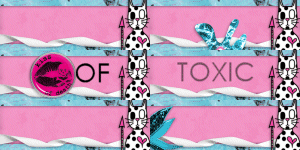
Thanks Hun...
::::::::::::::::::::::::::::::::::::::::::::::::::::::
1.
Open the Template 143 - make a Copy from the Template - close the Original Template - delete the Copyinfo
2.
Select the Upper Left Rectangle - Selections - All - Selections - Float - Selections - Defloat
Open a Paper of your Choice - copy and paste as new Layer
Selections - Invert - Press the delete key - Selections - Select none
Select the Lower Right Rectangle - Selections - All - Selections - Float - Selections - Defloat
Open a Paper of your Choice - copy and paste as new Layer
Selections - Invert - Press the delete key - Selections - Select none
3.
Select the Upper Right Circle 1 - Selections - All - Selections - Float - Selections - Defloat
Open a Paper of your Choice - copy and paste as new Layer
Selections - Invert - Press the delete key - Selections - Select none
Select the Lower Left Circle 1 - Selections - All - Selections - Float - Selections - Defloat
Open a Paper of your Choice - copy and paste as new Layer
Selections - Invert - Press the delete key - Selections - Select none
4.
Select the Upper Right Circle 2 - Selections - All - Selections - Float - Selections - Defloat
Open your Tube - copy and paste as new Layer - arrange it over the selected circle 2
Selections - Invert - Press delete key
Selections - Select none
Set the Blendmode to Luminance(L) and the Opacity to 40%
Select the Lower Left Circle 2 - Selections - All - Selections - Float - Selections - Defloat
Open your Tube - Image - Flip - copy and paste as new Layer - arrange it over the selected circle 2
Selections - Invert - Press delete key
Selections - Select none
Set the Blendmode to Luminance(L) and the Opacity to 40%
5.
Select the Pink Circle - Selections - All - Selections - Float - Selections - Defloat
Open a Paper of your Choice - copy and paste as new Layer
Selections - Invert - Press the delete key - Selections - Select none
6.
Select the Pink Circle - Selections - All - Selections - Float - Selections - Defloat
Open a Paper of your Choice - copy and paste as new Layer
Selections - Invert - Press the delete key - Selections - Select none
7.
Select the Thin Rectangle - Selections - All - Selections - Float - Selections - Defloat
Selections - Modify - Expand by 3 - Flood fill with a color of your choice
Selections - Select none
8.
Select the Frame Back Left - Selections - All - Selections - Float - Selections - Defloat
12.Open your Tube - copy and paste as new Layer - arrange it over the selected frame back left
Selections - Invert - Press delete key
Selections - Select none
Set the Blendmode to Luminance(L)
Duplicate the Tube - Image - Mirror - Arrange it over the Frame Back Right
9.
Select Lrg Stars - Selections - Select All - Selections - Float - Selections - Defloat - Flood fill with a color of your choice
Selections - Select none
10.
Open Kristin - Toxic Cupcake - Splat 2 - copy and paste as new Layer - Arrange it under the Dotted Line 1 to the top left corner
Drop Shadow of your Choice
Duplicate - Image - Mirror - Image - Flip
11.
Open Kristin - Toxic Cupcake - Barbed Wire - resize to 50% - copy and paste as new Layer - Arrange it to the bottom right of the rectangle
Drop Shadow of your Choice
Duplicate - Image - Mirror - Image - Flip
Open Kristin - Toxic Cupcake - Skull Charm 2 - resize to 50% - Arrange it so as mine
Drop Shadow of your Choice
13.
Select Frame Right
Open Kristin - Toxic Cupcake - Ribbon 2 - resize to 50% - copy and paste as new Layer
Image - Free Rotate - Left - 30,00
Arrange it so as mine
Drop Shadow of your Choice
14.
Open Kristin - Toxic Cupcake - Lips 2 - resize to 50% - copy and paste as new Layer
Arrange it upwards to the right slightly on the circle
Drop Shadow of your Choice
15.
Select Lrg Stars
Open now your Tube - copy and paste as new Layer - Resize if necessary
Drop Shadow of your Choice
Duplicate the tube - Adjust - Blur - Graussian Blur - Radius 1,00
Arrange it under the Tube
Select the Original Tube - Set the Blendmode to Hard Light
If you want you can write your name or a text on the tag! Add your watermark and copyright information! Merge all and resize if needed!
Enjoy!
Enjoy!




Keine Kommentare:
Kommentar veröffentlichen